Sansui is not a name most gamers grew up with, at least not for monitors. The brand built its reputation decades ago on TVs and audio gear, and it has spent the last few years pushing hard into budget gaming displays sold mostly through Amazon and Walmart. The pitch is simple: high refresh rates, curved panels, and features that used to belong to $400 monitors, all priced closer to $100 to $250. This Sansui gaming monitor review covers the full current lineup, ranks the ten models worth knowing about, and breaks down the top five in detail so you can see exactly what you are getting before you buy one.
None of these panels are going to compete with a flagship OLED gaming monitor, and Sansui does not pretend otherwise. What the lineup does well is stretch a small budget further than most established brands allow, packing in curved screens, FreeSync, and 240Hz refresh rates at price points where competitors usually cut corners somewhere obvious.
Top 10 Sansui Gaming Monitors, Ranked
Here is the current Sansui gaming monitor lineup ranked from the strongest all around pick down to the most basic entry level option. Higher refresh rate, sharper resolution, and extra features like AI Crosshair or dual mode pushed a model up this list, while older or more limited panels sit closer to the bottom.
- Sansui 34″ C5 Pro UWQHD 240Hz Curved (ES-G34C5 PRO) – the flagship ultrawide, with HDR400 and AI Crosshair
- Sansui 27″ F6Q Pro WQHD 240Hz/300Hz – the CES 2025 Innovation Award winning model
- Sansui 27″ 4K Dual Mode 160Hz/320Hz (ES-G27D1U) – switches between sharp 4K and blazing fast FHD
- Sansui 27″ 280Hz Curved Dual Mode WQHD/HD – highest raw refresh rate in the lineup
- Sansui 34″ UWQHD 200Hz Curved (ES-G34C5Q) – the more affordable ultrawide option
- Sansui 24.5″ 300Hz/240Hz Fast IPS (ES-G25X1 PRO) – the esports focused pick, built for competitive shooters over anything cinematic
- Sansui 27″ Curved 240Hz FHD (ES-G27C1 PRO) – the best value in the whole lineup, and the one most casual buyers should look at first
- Sansui 32″ Curved WQHD 180Hz (ES-G32C3) – a bigger screen with sharper resolution than the FHD models, good for anyone who splits time between gaming and general use
- Sansui 27″ WQHD Curved 180Hz (ES-G27C1Q) – budget friendly 1440p for buyers who want the resolution bump without paying flagship pricing
- Sansui 24″ Curved 180Hz FHD (ES-G24C1-US) – the entry point into the curved lineup, and still a solid step up from a standard 60Hz monitor
Sansui 34″ C5 Pro UWQHD 240Hz Gaming Monitor Review
Quick verdict: the strongest all around pick in the lineup, and the one worth stretching the budget for. Rating: 4.3/5.

This is the model Sansui builds everything else around. The 34 inch curved UWQHD panel runs at 3440×1440 with a 240Hz refresh rate, which is a genuinely rare combination at this price. AI Crosshair adds a customizable overlay for games that hide their default reticle, and AIPQ adjusts picture quality settings on the fly depending on what is showing on screen.
HDR400 will not match a proper Mini LED panel, but it noticeably lifts contrast over the non HDR models further down this list. The full spec sheet is listed on the official Sansui product page for anyone who wants to confirm exact panel numbers before buying. With VA panel technology and a 1500R curve, dark scenes hold their blacks better than the Fast IPS models in this lineup, though at the usual cost of narrower viewing angles.
| Spec | Detail |
|---|---|
| Panel size and curve | 34 inch, 1500R |
| Resolution | 3440 x 1440 (UWQHD) |
| Panel type | Fast VA |
| Refresh rate | 240Hz |
| Response time | 1ms MPRT |
| HDR | HDR400 |
| Adaptive sync | FreeSync |
| Ports | HDMI 2.1 x2, DisplayPort 1.4 x2 |
| Extras | AI Crosshair, AIPQ, PIP/PBP |
| Typical price | Around $240 |
Pros
- 240Hz at ultrawide resolution is uncommon at this price
- Strong contrast thanks to the VA panel and HDR400 support
- AI Crosshair and AIPQ add real value over a plain curved panel
- Dual HDMI 2.1 ports handle console input without dropping to a lower refresh rate
Cons
- VA panel means narrower viewing angles than an IPS alternative
- HDR400 is entry level and will not produce deep black levels in a dark room
- Curve may feel excessive for anyone doing spreadsheet or document work most of the day
Who should buy this: anyone who wants one screen that handles both fast paced games and immersive single player titles without compromising on either, and who has a graphics card strong enough to push ultrawide resolution at high frame rates.
Sansui 27″ F6Q Pro WQHD Gaming Monitor Review
Quick verdict: the health conscious pick, built around AI eye comfort features rather than raw specs alone. Rating: 4.0/5.
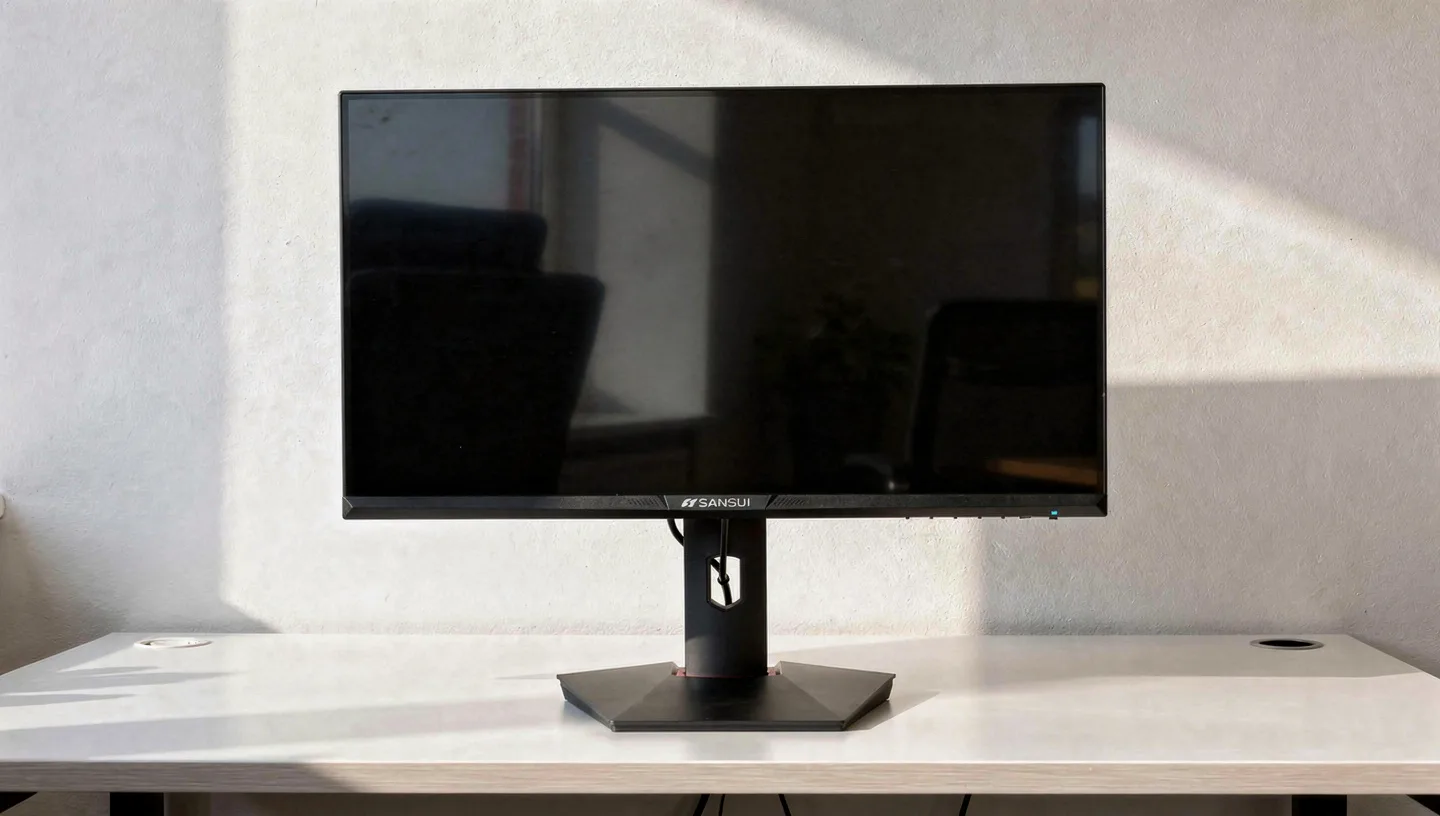
The F6Q Pro earned a CES 2025 Innovation Award, which is a rare distinction for a brand at this price point. It runs WQHD resolution with a dual mode setup that pushes refresh rate up to 300Hz when the resolution is dropped, or a steady 240Hz at full 1440p.
Sansui built this one around AI driven features aimed at reducing eye strain during long sessions alongside the usual gaming extras, positioning it as the health conscious option in a lineup that otherwise leans hard into raw speed. The full CES Innovation Award listing covers what the judging panel specifically recognized the monitor for.
| Spec | Detail |
|---|---|
| Panel size | 27 inch |
| Resolution | 2560 x 1440 (WQHD) |
| Refresh rate | 240Hz at full resolution, up to 300Hz in reduced mode |
| Adaptive sync | FreeSync |
| Recognition | CES 2025 Innovation Award honoree |
| Extras | AI driven eye comfort features, health focused design |
| Typical price | Around $250 to $280 |
Pros
- Award recognition from an independent panel of judges, not just a marketing claim
- 300Hz mode gives serious headroom for fast paced competitive titles
- AI eye comfort features are a genuine point of difference from the rest of the lineup
Cons
- Limited public spec detail compared with the more established models in this list
- Dual mode refresh rate switching adds a step most buyers on rival monitors do not need to think about
- Pricing sits closer to established brands, cutting into the usual Sansui value gap
Who should buy this: buyers who spend long hours in front of the screen and care about eye comfort as much as raw refresh rate, and who are comfortable paying slightly more for the recognition and the extra features behind it.
Sansui 27″ 4K Dual Mode Gaming Monitor Review (ES-G27D1U)
Quick verdict: the most versatile panel in the lineup, worth the extra cost if you actually use both modes. Rating: 4.4/5.

The ES-G27D1U is the most flexible panel Sansui makes. Switch it into UHD mode and you get a sharp 3840×2160 image at up to 160Hz over DisplayPort, or drop to FHD mode and the same screen pushes 320Hz for competitive play. Built on a Fast IPS panel rather than VA, colors stay consistent from wider viewing angles, which matters if you share the desk or watch content from an angle. Built in speakers, a height adjustable stand, and rotation into portrait mode round out a feature set that reads more like a $500 monitor spec sheet than a budget one.
| Spec | Detail |
|---|---|
| Panel size | 27 inch |
| Resolution modes | 4K UHD or FHD (dual mode) |
| Panel type | Fast IPS |
| Refresh rate | Up to 160Hz in 4K, up to 320Hz in FHD |
| Response time | 1ms (OD) |
| HDR | HDR400 |
| Adaptive sync | FreeSync Premium |
| Ports | HDMI 2.1 x2, DisplayPort 1.4 x2 |
| Extras | Built in speakers, height adjustable and rotating stand, AI Crosshair |
| Typical price | Around $300 |
Pros
- Genuine 4K sharpness for single player games and work, with a fast mode for competitive titles
- Fast IPS panel gives more consistent color than the VA models in this lineup
- Fully adjustable stand, unusual at this price
- Built in speakers save a small desk accessory purchase
Cons
- 160Hz at 4K needs a genuinely powerful graphics card to actually reach
- Switching modes requires a menu trip rather than happening automatically
- Priciest model in the current lineup
Who should buy this: anyone who wants a single monitor for both sharp single player games and fast competitive titles, rather than owning two separate screens for each purpose.
Sansui 27″ 280Hz Curved Dual Mode Gaming Monitor Review
Quick verdict: the speed focused pick for players who prioritize frame delivery above everything else. Rating: 4.1/5.

This panel holds the highest refresh rate ceiling in the entire lineup. In WQHD mode it runs at 280Hz, and dropping to HD mode pushes that further still, aimed squarely at players who care more about frame delivery than pixel count. A 1500R curve, HDR400, and AI Crosshair carry over from the flagship model, and dual HDMI 2.1 ports mean console players get full bandwidth alongside PC gamers.
| Spec | Detail |
|---|---|
| Panel size and curve | 27 inch, 1500R |
| Resolution modes | WQHD or HD (dual mode) |
| Refresh rate | 280Hz (WQHD), higher in HD mode |
| Response time | 1ms (OD) |
| HDR | HDR400 |
| Contrast | 5000:1 |
| Color | 135% sRGB |
| Ports | HDMI 2.1 x2, DisplayPort 1.4 |
| Extras | AI Crosshair, PIP/PBP |
| Typical price | Around $250 |
Pros
- Highest refresh rate ceiling of any Sansui monitor currently sold
- Strong contrast ratio makes dark competitive maps easier to read
- Dual mode gives flexibility between sharper resolution and maximum speed
Cons
- Reaching 280Hz consistently needs a high end graphics card in demanding games
- Curve and VA panel combination narrows the sweet spot for off center viewing
- Close in price to the 4K dual mode model, which offers more resolution flexibility
Who should buy this: players chasing the highest possible frame rate ceiling who still want a curved screen and decent contrast, rather than the flattest, most minimal panel possible.
Sansui 24.5″ 300Hz Fast IPS Gaming Monitor Review (ES-G25X1 PRO)
Quick verdict: the esports specialist, built for frame rate above everything else. Rating: 4.2/5.

Built specifically for competitive shooters, the ES-G25X1 Pro trades resolution and curve for pure speed. FHD resolution keeps the pixel count light enough that even modest graphics cards can push high frame rates, and the panel tops out at 300Hz with a 240Hz fallback for hardware that cannot sustain the higher number. FreeSync Premium keeps motion tear free across that whole range, and a 1ms response time keeps fast movement from smearing.
| Spec | Detail |
|---|---|
| Panel size | 24.5 inch, flat |
| Resolution | 1920 x 1080 (FHD) |
| Panel type | Fast IPS |
| Refresh rate | 300Hz, 240Hz fallback |
| Response time | 1ms |
| Color | 120% sRGB |
| Adaptive sync | FreeSync |
| Ports | DisplayPort x2, HDMI x2 |
| Typical price | Around $170 |
Pros
- 300Hz refresh rate on a genuinely fast IPS panel, not a cut down VA substitute
- FHD resolution is light enough for mid range graphics cards to sustain high frame rates
- Dual DisplayPort and dual HDMI cover most setups without an adapter
Cons
- No curve or extra size for anyone wanting an immersive single player setup
- FHD resolution looks soft for productivity work compared with the WQHD models above it
- No built in speakers
Who should buy this: competitive players who care more about milliseconds than immersion, and who already own or plan to own a graphics card capable of sustaining high frame rates at 1080p.
What Sansui Gaming Monitors Have in Common
Across all ten models, a handful of choices repeat often enough that they say something about how the brand builds its lineup. FreeSync shows up on nearly every panel, even the cheaper ones, which is not always true of rival budget brands that reserve tear free support for their pricier lines. A 1500R curve appears on most of the curved models rather than the gentler 1800R or 2000R curves some competitors use, giving a slightly more pronounced wraparound effect. Metal stands turn up more often than the painted plastic typical at this price, and low blue light plus flicker free modes are standard rather than an extra cost option.
AI Crosshair, an overlay that adds a reticle for games missing one by default, has become something close to a signature feature across the newer releases, appearing on the flagship ultrawide and both dual mode panels.
How to Choose the Right Sansui Gaming Monitor
Picking between these ten models comes down to a few questions rather than chasing the single highest spec on the page. Panel type is the first fork in the road: VA panels give deeper blacks and better contrast, which suits dark, atmospheric games, while Fast IPS panels hold color more consistently at an angle and generally respond faster on paper, even if the real world difference is smaller than the spec sheets suggest. Whether a curved screen actually helps depends on distance and use, since the effect is most noticeable on ultrawide panels and barely registers on a standard 16:9 screen sat further back.
Resolution matters just as much as refresh rate, and the two pull against each other on a budget graphics card. A 1080p panel at 240Hz or 300Hz is far easier to drive at full speed than a 1440p or 4K screen chasing similar numbers, so anyone without a mid to high end GPU should weight resolution lower than raw Hz. Buyers leaning toward the ultrawide or 4K dual mode options should also double check their refresh rate expectations against the graphics card they actually own, since none of these panels will hit their advertised ceiling without hardware to match.
Is Sansui a Good Gaming Monitor Brand?
Sansui is not trying to compete with ASUS, LG, or Samsung on brand prestige, and it does not need to for the audience it targets. The company built its name decades ago in TVs and audio, and its monitor division leans on that manufacturing background to offer specs that would cost noticeably more from a tier one display brand.

Warranty coverage sits at a standard one year with a 30 day money back window, which matches most budget competitors rather than beating them, and long term support beyond that window remains an open question given how new the monitor lineup is compared with established players. For buyers who want a first high refresh screen or a secondary console monitor without a big outlay, that trade off tends to make sense. Buyers who need factory calibrated color accuracy for design or photo work should look elsewhere regardless of price.
Customer feedback across Amazon and Walmart listings generally lands in the 4.0 to 4.5 star range, which puts Sansui in line with most budget competitors rather than clearly ahead or behind. The most common complaints center on stand rigidity on the cheaper flat panel models and occasional dead pixel reports on early production units, both of which fall within normal variance for a budget monitor line rather than pointing to a systemic quality issue. Customer support has generally responded to warranty claims without excessive back and forth, based on the pattern across public reviews, though response times can lag behind brands with a dedicated support team built specifically around monitors.
The bigger question for most buyers is not whether Sansui makes a functional monitor, since the specs and reviews suggest it clearly does, but whether the brand will still be actively supporting these exact models in three or four years. That uncertainty is the real trade off against paying more for an established name, not build quality on day one.
Sansui vs Other Budget Gaming Monitor Brands
Sansui sits in a crowded field alongside brands like KTC, AOC, and Amazon Basics, all fighting for the same budget conscious buyer. Compared with KTC, Sansui tends to match on refresh rate and curve but often undercuts on price by a noticeable margin, while KTC edges ahead on 1440p panel consistency in some models.
AOC brings a longer track record in monitors specifically, along with sturdier build quality on some lines, though usually at a higher price for the same headline spec. Against Amazon Basics, Sansui simply offers a wider spread of curved, high refresh, and dual mode panels, where Amazon Basics sticks to safer, simpler specs at a similar price.
None of these budget brands publish independent panel testing the way established display makers do, so specs on the box carry more weight than usual when comparing them. Refresh rate and resolution numbers tend to hold up across Sansui, KTC, and AOC alike, but color accuracy and factory calibration vary more than the marketing copy suggests, which is worth keeping in mind if color work matters alongside gaming on the same screen.
Final Verdict: Which Sansui Monitor Should You Buy
For most buyers, the Sansui 27 inch Curved 240Hz FHD is the strongest value in this entire lineup, delivering the refresh rate and curve that make the brand worth considering without stretching into the pricier dual mode territory. Anyone wanting the sharpest possible image should step up to the 27 inch 4K dual mode panel instead, while competitive players chasing every last frame belong on either the 300Hz Fast IPS model or the 280Hz dual mode screen. Whichever Sansui gaming monitor ends up on your desk, running through a proper gaming monitor setup once it arrives will make sure you are actually getting the refresh rate and picture quality the spec sheet promised rather than leaving it on default settings.
Frequently Asked Questions
Is Sansui a reliable gaming monitor brand?
Sansui is a budget brand with a long history in TVs and audio rather than a dedicated monitor specialist, but its gaming lineup has grown quickly and offers specs that undercut more established competitors. Reliability reports are generally positive for a brand at this price, though long term support is less proven than with brands that have sold monitors for decades.
Does Sansui support FreeSync or G-Sync?
Most Sansui gaming monitors support FreeSync, and several are FreeSync Premium certified for a wider tear free range. None are officially G-Sync certified, but Nvidia graphics cards can often run them through G-Sync Compatible mode since the underlying technology is the same open adaptive sync standard.
What is the best Sansui gaming monitor for competitive gaming?
The 24.5 inch 300Hz Fast IPS model and the 27 inch 280Hz dual mode screen are the strongest picks for competitive play, since both prioritize refresh rate and low response time over resolution or curve, which is exactly what fast paced shooters and esports titles reward.
Are Sansui curved monitors good for gaming?
Yes, particularly on the larger ultrawide models where the curve genuinely wraps more of the screen into your natural field of view. On smaller 24 and 27 inch panels the curve adds a mild sense of immersion but makes less practical difference, so it comes down to personal preference on those sizes.
Do Sansui monitors work well with PS5 and Xbox?
Yes, the models with HDMI 2.1 ports support high refresh rate and high resolution console output, including 4K at higher frame rates on the dual mode panel. Older or budget models with HDMI 2.0 still work fine with consoles but cap out at lower refresh rates depending on the resolution selected.
How long is the Sansui monitor warranty?
Sansui monitors typically carry a one year limited warranty alongside a 30 day money back and replacement window from the date of purchase, which is standard for the budget monitor category rather than an added perk.
Is a VA or IPS panel better on a Sansui monitor?
VA panels in this lineup offer deeper blacks and higher contrast, which suits darker games, while Fast IPS panels hold color more consistently at an angle and are the better pick if the monitor also gets used for work or content that several people view together. Neither is strictly better, the right choice depends on what you mostly use the screen for.
Where can I buy a Sansui gaming monitor?
Amazon and Walmart carry the widest current selection, with some models also listed through Newegg and directly on the Sansui website. Pricing shifts fairly often between these retailers, so it is worth comparing the same model number across at least two sites before buying, since the specs are identical regardless of where the listing sits.