CRUA has built a name for itself as one of the go-to budget gaming monitor brands, offering high refresh rates, curved panels, and gamer-focused features at prices well below the big names. This review covers the full CRUA monitor lineup, ranks the ten most popular models from best to worst, and breaks down the top five in detail. The ranking here is based on manufacturer specifications and thousands of aggregated customer reviews from Amazon and Walmart, not independent lab testing, since CRUA has not been tested by review sites that do full lab measurements. That distinction matters, so keep it in mind as you read through the numbers below.
Who CRUA Monitors Are For
CRUA positions itself as a display brand for people who want gamer-focused features without a premium price tag. Instead of chasing top-end specs, the lineup is built around a few core audiences: casual and competitive gamers working with a tight budget, first-time PC builders setting up their first real gaming station, console owners upgrading from an old TV, and students or younger gamers furnishing a desk for the first time. If you already know exactly how to choose a gaming monitor and just want to see where CRUA fits into that decision, the rankings below should make that easier.
How We Ranked the CRUA Monitor Lineup
Each CRUA monitor on this list was ranked using three things: the specifications on paper compared against the asking price, how those specs stack up against similarly priced monitors from other budget brands, and the volume and rating of real customer reviews on Amazon and Walmart, since CRUA has thousands of verified purchases across its most popular models. A monitor with excellent specs but a flood of complaints about dead pixels or damaged packaging drops in the ranking, while a model with modest specs but consistently high satisfaction moves up.
CRUA Monitor Lineup Ranked 1 to 10
Here is the full lineup at a glance, ranked from the strongest overall pick down to the weakest. The top five get a full breakdown further down the page, complete with specs and a pros and cons list for each.
- CRUA 24.5″ Curved 165Hz/180Hz – the best all-around pick and CRUA’s best-selling monitor by a wide margin
- CRUA 34″ WQHD Ultrawide (CR340D) – the strongest choice for immersive, single-player gaming
- CRUA 27″ QHD 240Hz (CR270I) – the fastest panel in the lineup, built for competitive play
- CRUA 27″ 4K UHD – the sharpest image quality CRUA currently offers
- CRUA 27″ Curved 100Hz – the best pick for anyone on a tight budget
- CRUA 32″ Curved 200Hz/240Hz FHD – a strong mid-size option let down by a lower resolution stretched over a bigger screen
- CRUA 30″ Curved 165Hz/200Hz FHD – solid specs, but overshadowed by the 27 and 32 inch models at similar prices
- CRUA 32″ Curved QHD 180Hz – a decent middle ground, though fewer reviews make it harder to judge consistency
- CRUA 24″ FHD 100Hz Curved – fine for office use, but underpowered for serious gaming
- CRUA 27″ UHD IPS 160Hz with RGB lighting – interesting on paper but the least proven model, with a limited review history
1. CRUA 24.5″ Curved 165Hz/180Hz – Best Overall
This is the model that put CRUA on the map, and it remains the brand’s best-selling monitor with thousands of verified reviews on Walmart alone. The 23.8 inch panel curves at 2800R, keeps every part of the screen roughly the same distance from your eyes, and runs at 165Hz over DisplayPort or 180Hz in its overclocked mode.
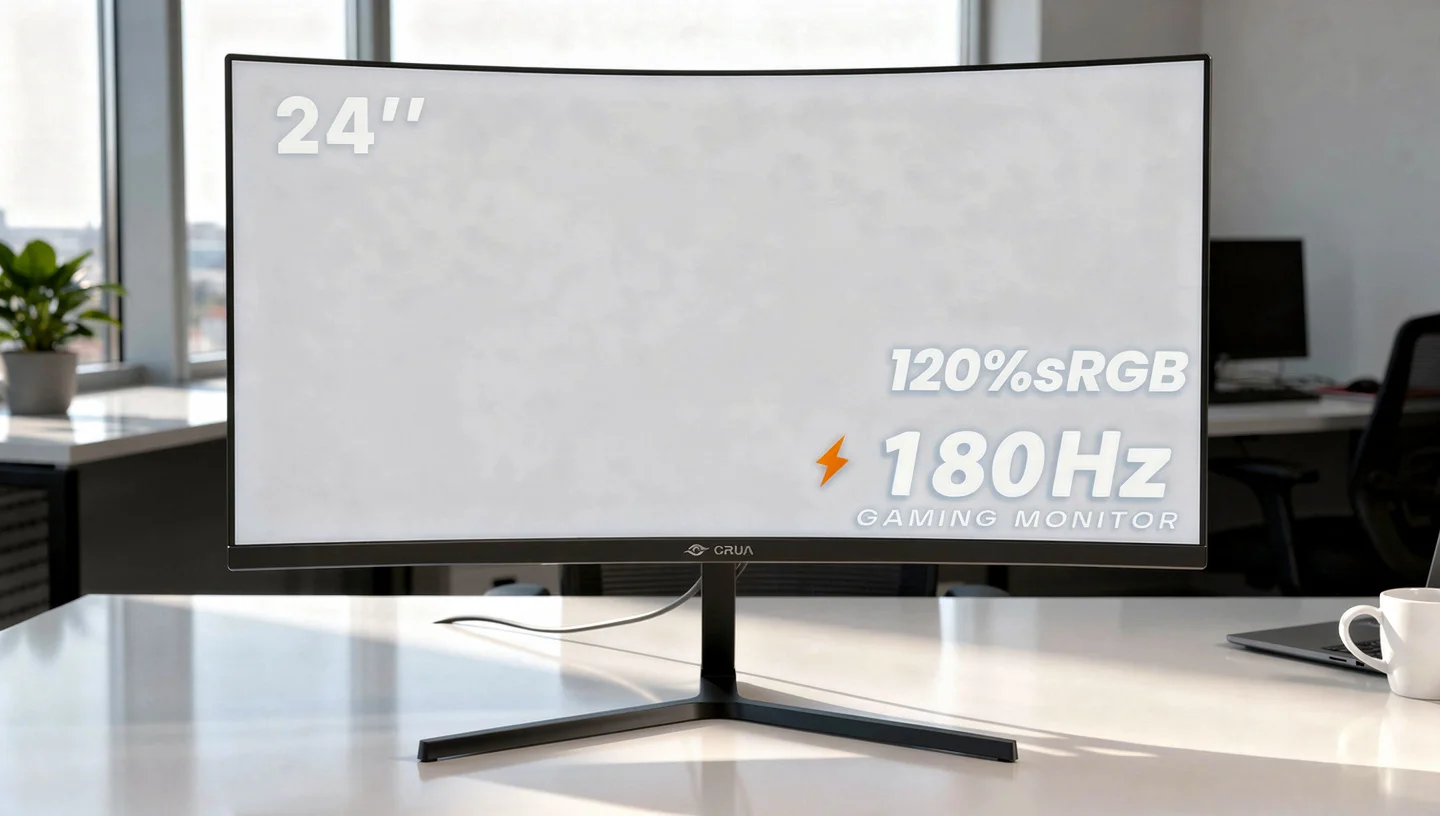
At this price, getting a curved panel with a genuinely high refresh rate is rare, and it shows in how consistently buyers mention the jump in smoothness coming from a standard 60Hz display.
Specifications
| Spec | Detail |
|---|---|
| Screen Size | 23.8 inches |
| Resolution | 1920×1080 FHD |
| Panel Type | VA |
| Refresh Rate | 165Hz / 180Hz overclocked |
| Response Time | 2ms |
| Curvature | 2800R |
| Color Gamut | 120% sRGB |
| Adaptive Sync | AMD FreeSync |
| Ports | HDMI, DisplayPort |
Pros
- High refresh rate at a genuinely budget price
- Gentle curve that adds comfort without feeling gimmicky
- Strong track record across thousands of customer reviews
- Works well as a secondary or main gaming display
Cons
- Some buyers report packaging arriving already opened
- On-screen menu buttons on the back are fiddly to use
- FHD resolution shows some softness on larger desks
2. CRUA 34″ WQHD Ultrawide (CR340D) – Best for Immersive Gaming
The CR340D is CRUA’s flagship ultrawide, and it is proof that a 21:9 gaming setup does not have to cost several hundred dollars. At 3440×1440 resolution with a 165Hz refresh rate over DisplayPort, it delivers noticeably sharper detail than the FHD models in the lineup, and the extra horizontal space makes a real difference in open-world and racing games.

Color output will not blow anyone away, CRUA’s claimed 120% sRGB coverage does not translate into particularly vivid colors in practice, but for the price, the resolution and refresh rate combination is hard to match.
Specifications
| Spec | Detail |
|---|---|
| Screen Size | 34 inches |
| Resolution | 3440×1440 WQHD |
| Panel Type | IPS |
| Refresh Rate | 165Hz |
| Peak Brightness | 380 nits |
| Color Gamut | 120% sRGB |
| Adaptive Sync | AMD FreeSync |
| Ports | DisplayPort 1.4, HDMI 2.0 |
Pros
- Ultrawide resolution and refresh rate rarely found at this price
- Works well as a single all-purpose display for gaming and general use
- Comes with a solid metal stand and simple assembly
- Pairs well with console gaming, including PS5
Cons
- Colors look flat compared to the claimed sRGB coverage
- 380 nits of brightness struggles in a bright room
- No true HDR support despite the wide color claim
3. CRUA 27″ QHD 240Hz (CR270I) – Best for Competitive Play
For anyone chasing speed over everything else, the CR270I is the fastest CRUA gaming monitor currently available.

It pairs a 2560×1440 IPS panel with a 240Hz refresh rate, built-in speakers, and both HDMI 2.1 and DisplayPort 1.4 inputs, which makes it one of the few CRUA models genuinely suited to current-generation consoles as well as PC. The jump in resolution over the FHD models in the lineup, combined with that refresh rate, makes it the clear pick for competitive shooters and fast-paced titles where every frame counts.
Specifications
| Spec | Detail |
|---|---|
| Screen Size | 27 inches |
| Resolution | 2560×1440 QHD |
| Panel Type | IPS |
| Refresh Rate | 240Hz |
| Color Gamut | 120% sRGB |
| Adaptive Sync | AMD FreeSync |
| Extras | Built-in speakers, blue light filter |
| Ports | HDMI 2.1, DisplayPort 1.4 |
Pros
- Fastest panel in the entire CRUA lineup
- Good balance of resolution and refresh rate for competitive games
- HDMI 2.1 makes it a strong pick for PS5 and Xbox Series X
- Built-in speakers cut down on extra desk clutter
Cons
- Fewer long-term reviews compared to the 24.5 inch model
- Built-in speakers are thin sounding, as expected at this price
- Stand offers limited height adjustment
4. CRUA 27″ 4K UHD – Best for Visual Quality
This is the sharpest CRUA monitor in the current lineup, built around a 3840×2160 IPS panel with 98% DCI-P3 coverage, which is a noticeably wider gamut claim than the sRGB numbers CRUA quotes on its gaming-focused models. It runs at 60Hz, so it is not built for competitive speed, but for anyone who cares more about 4K resolution, text sharpness, and color range than raw refresh rate, it stands out as the strongest option CRUA currently sells.

The addition of USB-C input and height adjustment also makes it more practical for a mixed work and gaming setup than most of the other models on this list.
Specifications
| Spec | Detail |
|---|---|
| Screen Size | 27 inches |
| Resolution | 3840×2160 UHD |
| Panel Type | IPS |
| Refresh Rate | 60Hz |
| Color Gamut | 98% DCI-P3 |
| Adaptive Sync | AMD FreeSync |
| Extras | Height adjustable, built-in speakers, USB-C |
| Ports | HDMI 2.0, DisplayPort 1.2, USB-C |
Pros
- Sharpest image quality of any CRUA monitor
- Wider color gamut claim than the rest of the lineup
- Height adjustable stand, a rare feature at this price
- USB-C input adds flexibility for laptops
Cons
- 60Hz refresh rate limits it for fast-paced competitive games
- Smallest review count of the top models, so long-term reliability is less proven
- A strong graphics card is needed to make full use of the resolution
5. CRUA 27″ Curved 100Hz – Best Budget Pick
For anyone shopping purely on price, this is where CRUA delivers the most obvious value. The 27 inch curved panel runs at 100Hz, which is still a real step up from a standard 60Hz office monitor, and the 1800R curve gives it a similar frameless, modern look to the pricier models in the lineup at a fraction of the cost.

It is best suited to console gaming, casual play, and everyday use rather than anything competitive, but for a hybrid setup that covers work and light gaming, it consistently earns praise for offering more than buyers expect at this price point.
Specifications
| Spec | Detail |
|---|---|
| Screen Size | 27 inches |
| Resolution | 1920×1080 FHD |
| Panel Type | VA |
| Refresh Rate | 100Hz |
| Curvature | 1800R |
| Color Gamut | 100% sRGB |
| Ports | HDMI, VGA |
Pros
- Lowest price point in the CRUA lineup with a curved panel included
- Frameless design looks modern for the cost
- Simple, hassle-free setup according to most buyers
- Good fit for a hybrid office and casual gaming setup
Cons
- 100Hz refresh rate is the lowest among the curved models
- No DisplayPort input, only HDMI and VGA
- Built-in speakers struggle at higher volumes
The Rest of the CRUA Lineup at a Glance
The remaining five models round out the lineup without quite matching the top picks. The 32″ Curved 200Hz/240Hz FHD monitor offers a strong refresh rate but stretches the same 1920×1080 resolution across a bigger screen, which softens the image compared to the 24.5 inch version. The 30″ Curved 165Hz/200Hz FHD has solid numbers on paper but gets overshadowed by the 27 and 32 inch models sitting at similar prices with more reviews behind them. The 32″ Curved QHD 180Hz lands in a reasonable middle ground between resolution and speed, though it has far fewer customer reviews to judge consistency against.
The 24″ FHD 100Hz Curved model is fine for office work and light gaming, but the low refresh rate makes it a weaker pick for anyone gaming seriously. Finally, the 27″ UHD IPS 160Hz with RGB lighting looks appealing on spec sheets, combining sharp resolution with a fast refresh rate and per-key style lighting, but it is the newest and least reviewed model in the lineup, so it carries the most uncertainty around long-term reliability.
Flat, Curved, and Ultrawide – How the Lineup Is Organized
Flat Gaming Monitors
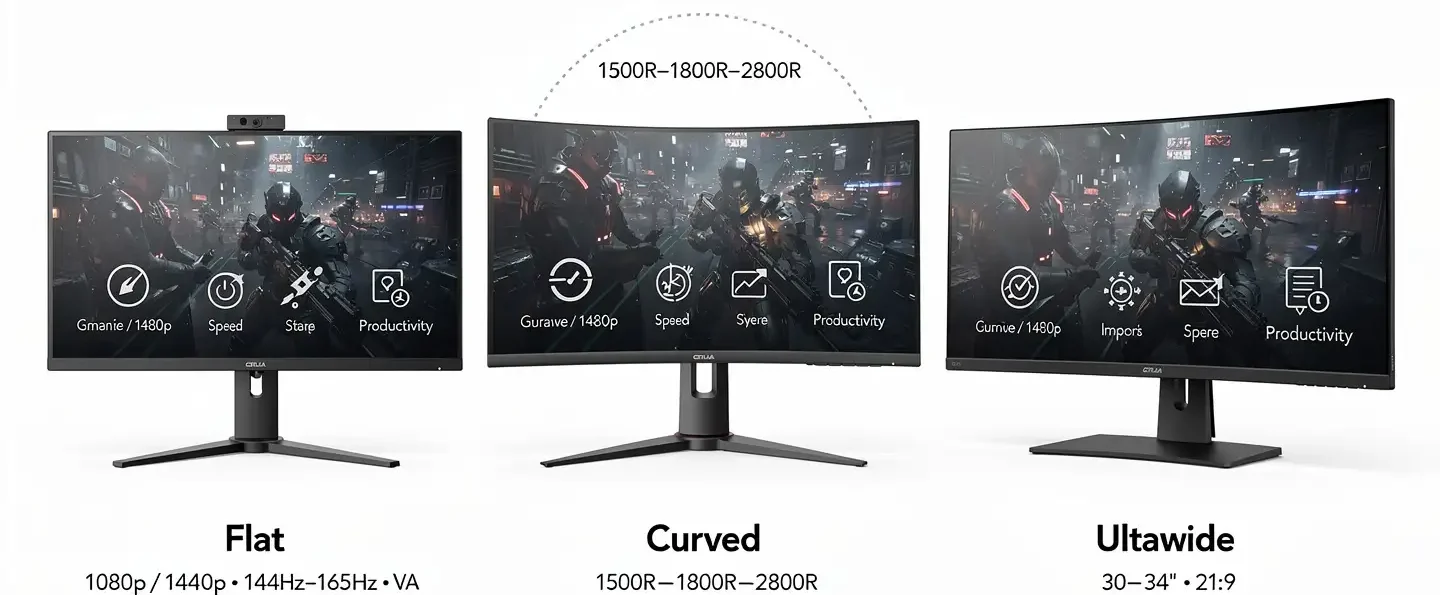
CRUA’s flat monitors are the simplest part of the lineup, typically running 1080p or 1440p resolution at 144Hz or 165Hz on a VA panel with slim bezels. These are aimed squarely at fast, no-frills gaming rather than visual flair.
Curved Gaming Monitors
Curved screens are what CRUA is probably best known for, and the lineup uses 1500R, 1800R, and 2800R curvature depending on the model. The R number refers to the radius of the curve, so a lower number means a tighter, more aggressive bend. The tighter the curve, the more the edges of the screen wrap toward your eyes, which is part of why some buyers find it easier on the eyes during long sessions. If you are still deciding whether that curve is actually worth it over a flat panel, it helps to know whether curved monitors are good for gaming before choosing between the two.
Ultrawide Monitors
The 30 to 34 inch ultrawide models use a 21:9 aspect ratio instead of the standard 16:9, giving noticeably more horizontal space for open-world games, racing titles, and general multitasking. These are the closest CRUA gets to a premium feel without a premium price tag.
Panel Types CRUA Uses – VA vs IPS
Most of the budget and curved models in the CRUA lineup use VA panels, which sit between TN and IPS in terms of overall performance. VA panels tend to offer better contrast and deeper blacks than IPS, along with slightly slower response times, which strikes a reasonable balance for casual and mid-level competitive gaming.
The higher resolution and flagship models, including the QHD, 4K, and ultrawide options, switch to IPS panels instead, trading a bit of contrast for wider viewing angles and more consistent color across the screen. Neither panel type in the CRUA lineup is built around competitive-grade color accuracy, but for gaming and general content consumption, both strike a reasonable balance for the price.
Color, Brightness, and Viewing Angles
Out of the box, colors on most CRUA monitors are acceptable rather than eye-popping, though a bit of tweaking in the on-screen menu tends to improve saturation noticeably. Buyers looking for competitive-grade color accuracy or serious creative work will likely still notice the limits here, but for gaming and everyday content, the difference is minor. Brightness is another area where CRUA plays it safe rather than pushing hard numbers. Most panels handle indoor lighting fine but start to struggle once direct sunlight or a bright window is in the mix, so placement in the room matters more with a CRUA monitor than it would with a brighter, pricier display.
Viewing angles follow a similar pattern. They are good enough for solo gaming or a single desk setup, but push to the side or view the screen from an extreme angle and colors start to look slightly washed out, with brightness shifting subtly as well. For anyone gaming alone at a desk, this rarely becomes a real issue, but it is worth knowing if you plan on sharing the screen with a friend sitting off to the side.
Eye Comfort Features
Several CRUA monitors include flicker-free backlighting and a low blue light mode, both aimed at reducing eye strain during longer gaming or work sessions. These features work quietly in the background rather than needing much setup, and most buyers who mention them in reviews describe fewer headaches or less eye fatigue during extended play compared to an older, non-flicker-free display. Not every model in the lineup lists these features explicitly, so it is worth checking the specific listing before buying if eye comfort is a priority for you.
HDR Support on CRUA Monitors
A handful of CRUA monitors list HDR10 support, though it is worth setting expectations correctly here. On a budget VA or IPS panel without local dimming or particularly high peak brightness, HDR10 support mostly means the monitor can accept and display an HDR signal rather than deliver the deep contrast and bright highlights associated with premium HDR displays. In practice, HDR content will look watchable rather than dramatically improved compared to standard SDR content on most models in the lineup. If HDR performance is a top priority, it is worth treating it as a nice-to-have on a CRUA monitor rather than a main selling point.
Ports and Connectivity Across the Lineup
Connectivity varies a fair amount depending on which CRUA monitor you look at. Entry-level models typically stick to HDMI and VGA, which covers older PCs and basic console setups but limits refresh rate on some panels. Mid-range and higher-end models step up to HDMI paired with DisplayPort, which is usually needed to hit the full advertised refresh rate rather than a lower rate over HDMI alone. The CR270I goes a step further with HDMI 2.1, the input current-generation consoles need for their higher frame rate modes, while the 4K model adds USB-C for a simpler single-cable connection to a laptop. Before buying, it is worth double-checking exactly which ports a specific model includes, since this is one of the areas where the lineup differs most from listing to listing.
Build Quality and Design
Build quality across the lineup is decent for everyday use without feeling premium. Nothing feels flimsy or poorly assembled, and most models ship with thin bezels, a lightweight plastic chassis, and a basic but functional stand. Branding is minimal on most units, which some buyers actually prefer, since it keeps the design understated rather than covered in gamer-branded logos. Stands generally support tilt adjustment, and higher-end models like the 4K panel add height adjustment, though full ergonomic articulation is rare across the lineup.
Gaming Performance Across the Lineup

Refresh Rate and Smoothness
Most CRUA gaming monitors support 144Hz or higher, and the jump from a standard 60Hz display is immediately noticeable, especially in fast camera movement and competitive shooters. If you have never used a high refresh rate monitor before, this is usually the first thing buyers mention in reviews, since the difference is hard to miss even for casual players.
Response Time and Motion Blur
Response times across the lineup sit in the medium to fast range, with light ghosting showing up in darker scenes on the VA models in particular. Response time is not the strongest part of CRUA’s spec sheet, but for casual and mid-level competitive play, motion blur stays minimal enough not to be a real issue.
Adaptive Sync and FreeSync Support
Nearly every model in the CRUA lineup supports AMD FreeSync, which helps cut down on screen tearing and stutter during frame rate drops. AMD’s own FreeSync technology page covers how the standard works in more detail if you want the full picture straight from the source. It works well when paired with a compatible graphics card, and several models work fine with Nvidia cards too, even without an official G-Sync Compatible label.
Console Gaming With a CRUA Monitor
CRUA monitors work well with modern consoles, and this is one of the most common use cases mentioned across customer reviews. Compared to gaming on an older TV, a CRUA gaming monitor typically offers lower input lag, a smaller and more desk-friendly footprint, and higher refresh rates that make fast-paced shooters and sports games feel noticeably smoother. The CR270I stands out here thanks to its HDMI 2.1 port, which is the input current-generation consoles need to make full use of their higher frame rate modes.
Is CRUA a Reliable Brand?
This question comes up often on forums, and the honest answer sits somewhere in the middle. CRUA is not a legacy display manufacturer with decades of history, but it has built a genuinely large customer base, with some models carrying thousands of verified reviews and average ratings above 4.4 out of 5. At the same time, a portion of buyers report receiving units with visible defects, missing protective film, or packaging that looked previously opened, which raises fair questions about quality control consistency between units.
For a budget brand selling at this volume, some inconsistency is expected, and most negative reviews get resolved through Amazon or Walmart’s standard return process rather than pointing to a deeper design flaw.
CRUA vs Other Budget Monitor Brands
CRUA sits in roughly the same price bracket as other budget-focused brands, and it competes directly with entry-level offerings from names like AOC and smaller budget lines from bigger manufacturers. What sets CRUA apart is how consistently it pairs a curved panel with a genuinely high refresh rate at a price where most competitors offer one feature or the other, not both. Where CRUA tends to fall behind more established brands is in color accuracy and long-term firmware support, areas where bigger names with dedicated engineering teams still hold an edge.
Common Issues CRUA Owners Report
No lineup at this price point is without its flaws, and CRUA is no exception. The most frequently reported issues include occasional dead or stuck pixels on arrival, weak built-in speaker volume across nearly every model, and a handful of complaints about monitors arriving with damaged or previously opened packaging. Menu navigation buttons, usually located on the back of the panel, also come up as a minor annoyance in multiple reviews. None of these issues appear severe or widespread enough to be a dealbreaker, but they are worth knowing about before you buy, especially the packaging concerns, since those are the easiest to catch and return immediately.
Who Should Buy a CRUA Monitor
A CRUA monitor makes the most sense for gamers working with a tight budget who still want a high refresh rate, a curved panel, or an ultrawide field of view without paying premium prices. It is a solid fit for console gaming, casual and mid-level competitive play, and first-time desk setups where value matters more than chasing the absolute best specs on the market. Anyone who depends on precise color accuracy for creative work, or who wants the reliability track record of a long-established brand, will likely be happier spending more elsewhere.
Broken down by the type of buyer, casual gamers get smooth, immersive visuals without overspending, professional users doing light design or office work benefit from the IPS models with more consistent color, and competitive players get a real edge from the higher refresh rate options like the CR270I, even if dedicated esports monitors from bigger brands still edge ahead on pure response time.
Final Verdict
This CRUA gaming monitor review comes down to a simple takeaway: CRUA delivers real value for the price, even if it is not chasing flagship performance. The 24.5 inch curved model remains the easiest overall recommendation thanks to its refresh rate and track record, while the 34 inch ultrawide and 27 inch QHD models cover more specific needs for immersive or competitive gaming. If your goal is smoother, more capable gaming without stretching your budget, CRUA is worth serious consideration.
Frequently Asked Questions
Is CRUA a good monitor brand?
CRUA is a solid choice for budget gaming, with strong customer ratings across its most popular models, though it lacks the long track record and color accuracy of more established display brands.
Which CRUA monitor is the best?
The 24.5 inch curved 165Hz/180Hz model is the strongest all-around pick thanks to its refresh rate, price, and the largest number of positive customer reviews in the lineup.
Are CRUA monitors good for gaming?
Yes, most models support high refresh rates and FreeSync, which delivers smooth, tear-free gameplay for casual and mid-level competitive titles, though color accuracy and speaker quality are not the lineup’s strong points.
Do CRUA monitors work well with PS5 and Xbox?
Yes, especially the CR270I with its HDMI 2.1 port, which supports the higher frame rate modes current-generation consoles are built to take advantage of.
What panel type do CRUA monitors use?
Most budget and curved models use VA panels, while the higher resolution QHD, 4K, and ultrawide models switch to IPS panels for wider viewing angles and more consistent color.
Is a CRUA monitor worth it for competitive gaming?
The CR270I with its 240Hz refresh rate is the strongest pick for competitive play in the lineup, though dedicated esports monitors from higher-end brands still offer faster response times.
Does CRUA monitor support HDR?
Some models list HDR10 support, but on a budget panel without local dimming, that mostly means the monitor can accept an HDR signal rather than deliver the deep contrast of a premium HDR display, so treat it as a bonus rather than a main reason to buy.
Does CRUA offer a warranty?
CRUA monitors are typically sold with standard retailer return policies through Amazon and Walmart, and most reported defects get resolved through those platforms rather than a separate manufacturer warranty process.